Korean-first realtime voice, in the browser and on mobile. Browser voice and mobile voice are live today.

welvoice.local/call
WelVoice

Choose a surface

Browser

Start with no install

What's included:

  • Realtime voice over WebRTC
  • The same processors
  • The same flags

Mobile app

Live

Native on iOS and Android

What's included:

  • The same realtime stack
  • Call history
  • Shares the pipeline

Telephony

Built, but key-gated

What's included:

  • Transport built
  • No production calls
  • Not shipped

Example screen.

Browser voiceMobile voiceWebRTCiOSAndroidCall historyKorean-first

The product

WelVoice is IntuneLabs' Korean-first realtime voice product — a web app and a native mobile app, with a care-operations layer behind them.

The voice pipeline is tuned for Korean conversation and built to degrade gracefully rather than drop a call.

The web app, the mobile app, and the care-operations layer behind them read from the same voice pipeline. A flag flipped for one is a flag flipped for the pipeline, not a per-surface fork — what changes in the pipeline changes everywhere it is consumed.

On the device

The app opens on whatever is already in reach.

A person standing beside a kitchen counter

In the kitchen, straight from the app.

A tablet propped up on a kitchen counter

On a bigger screen, hands free.

A phone resting in someone's lap

And after, once it goes quiet.

What runs today

Browser WebRTC and the mobile call paths are working. The telephony path is built and key-gated, and is not running in production.

App screens

Not redrawn mockups — screens captured from the app itself. Scroll sideways to browse.

  • The persona picker on the Calls tab — six conversation partners
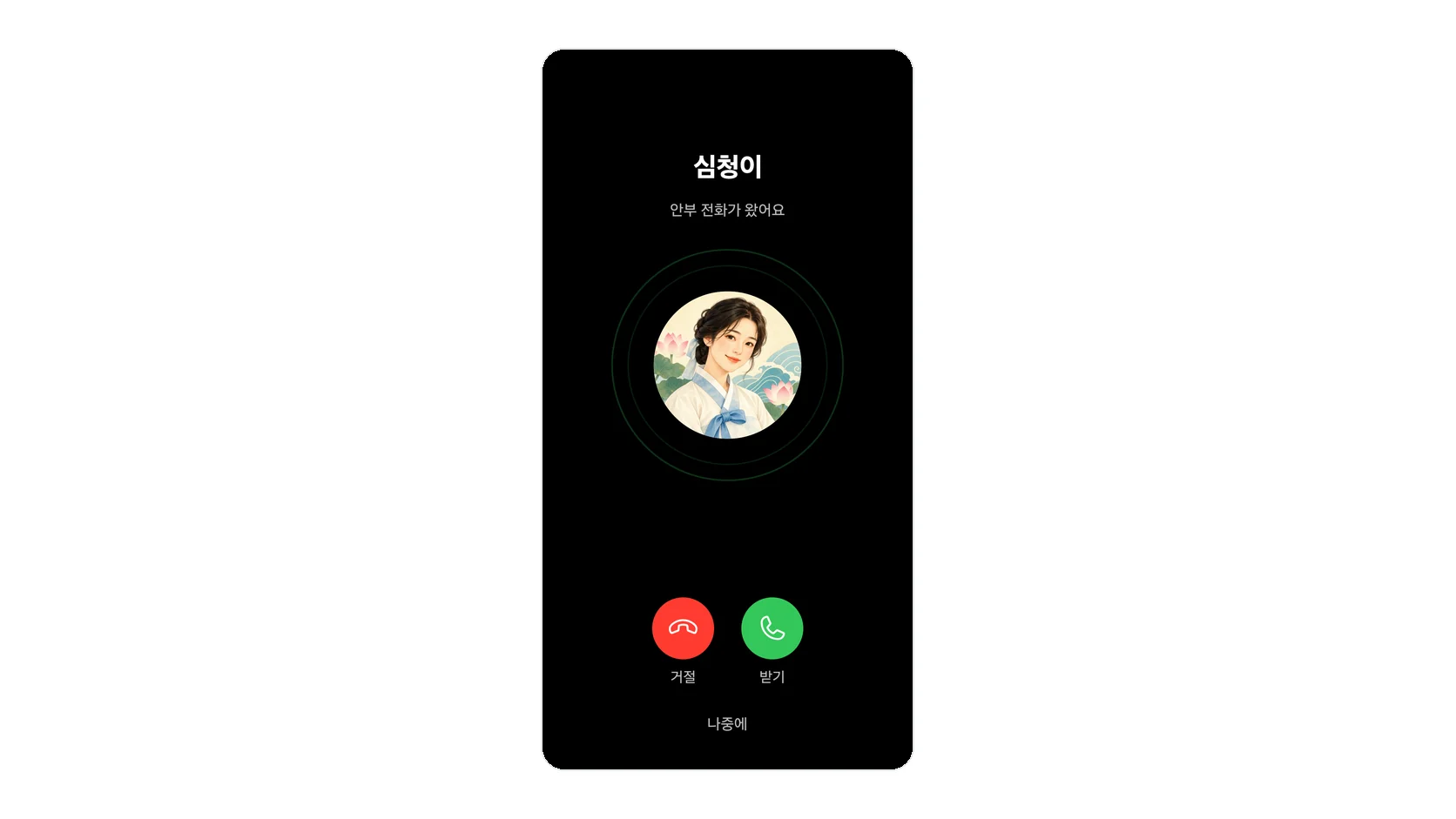
  • A voice call with a persona — waveform and call controls
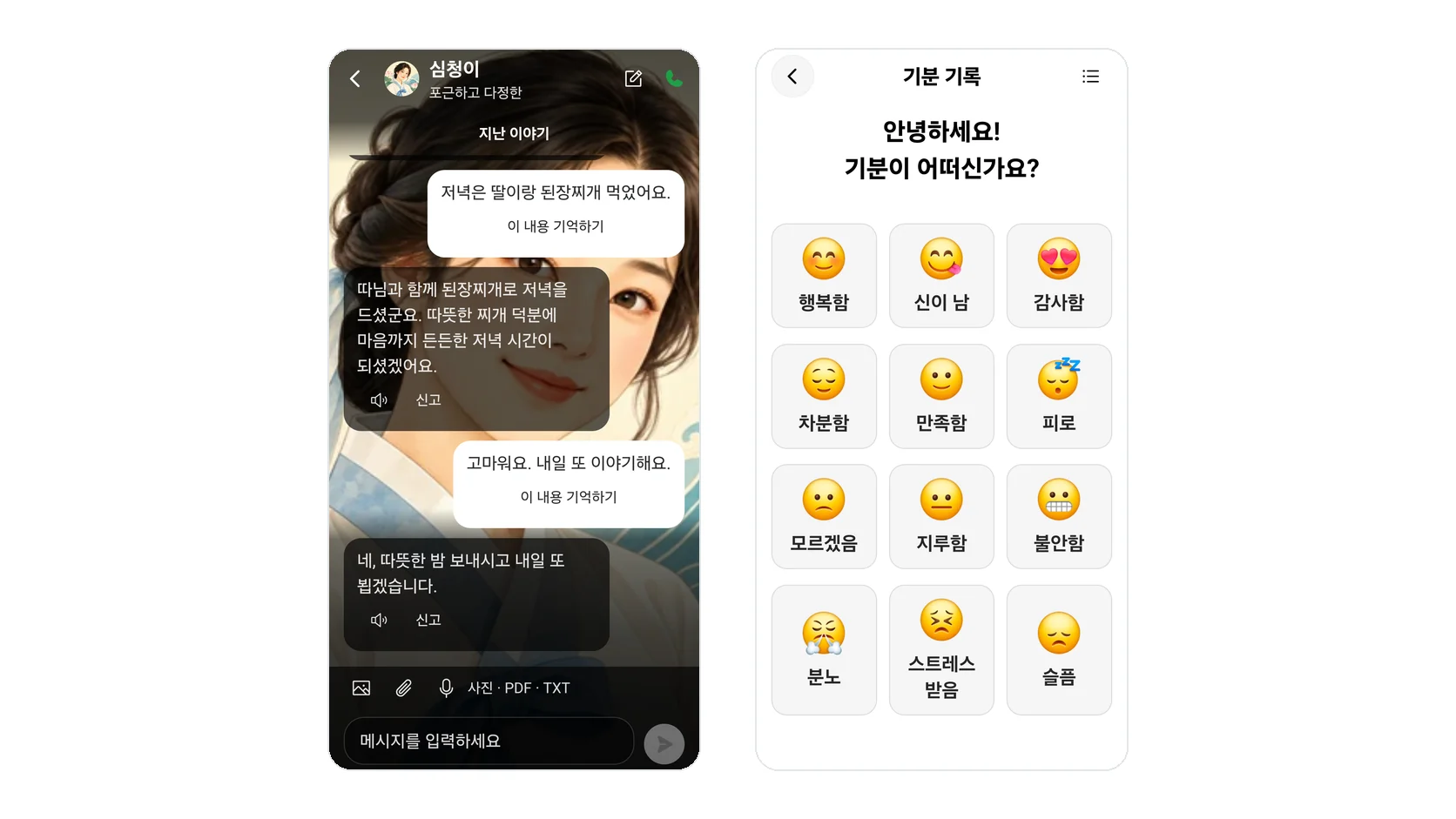
  • Chatting with a persona — the message composer
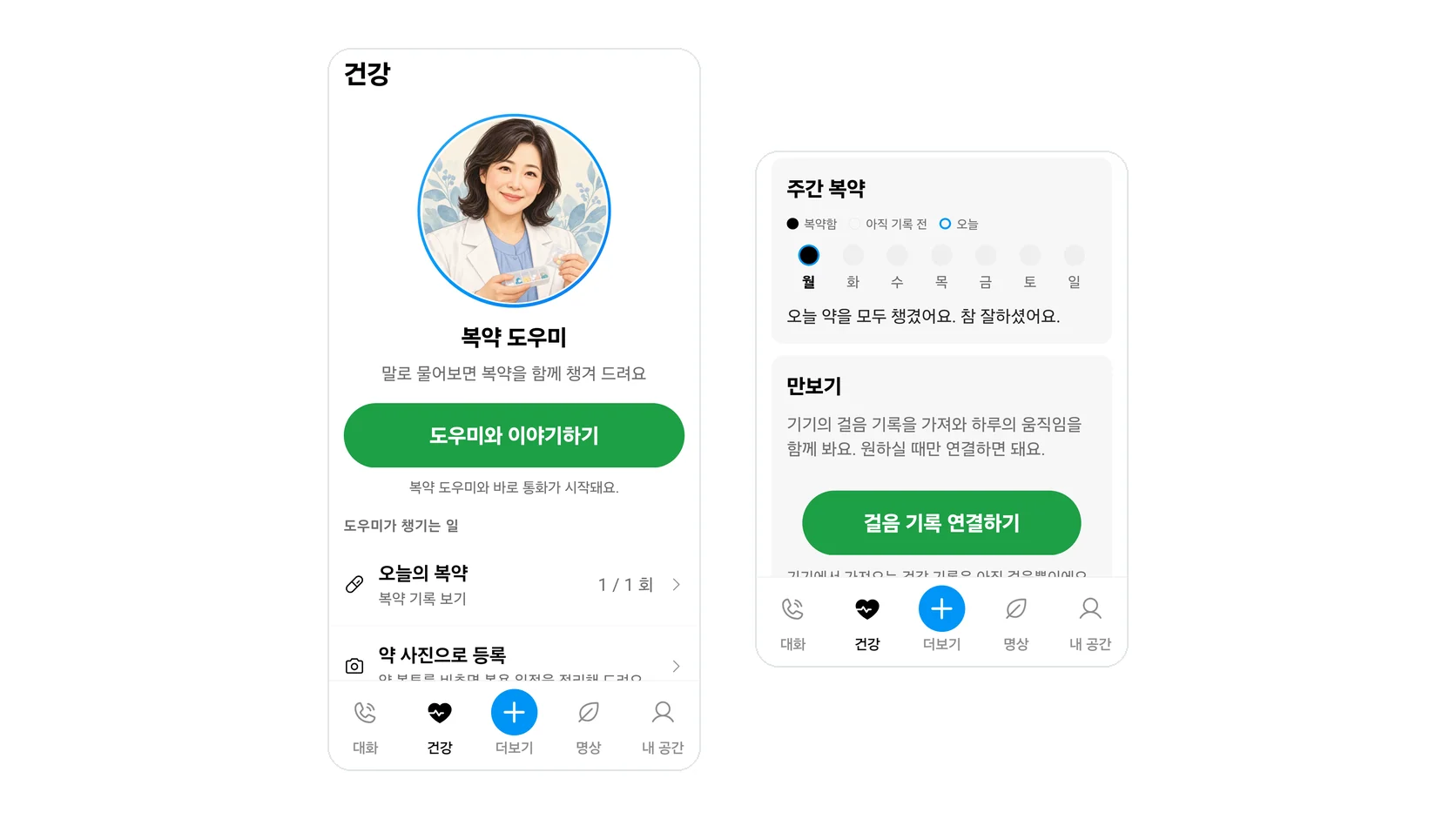
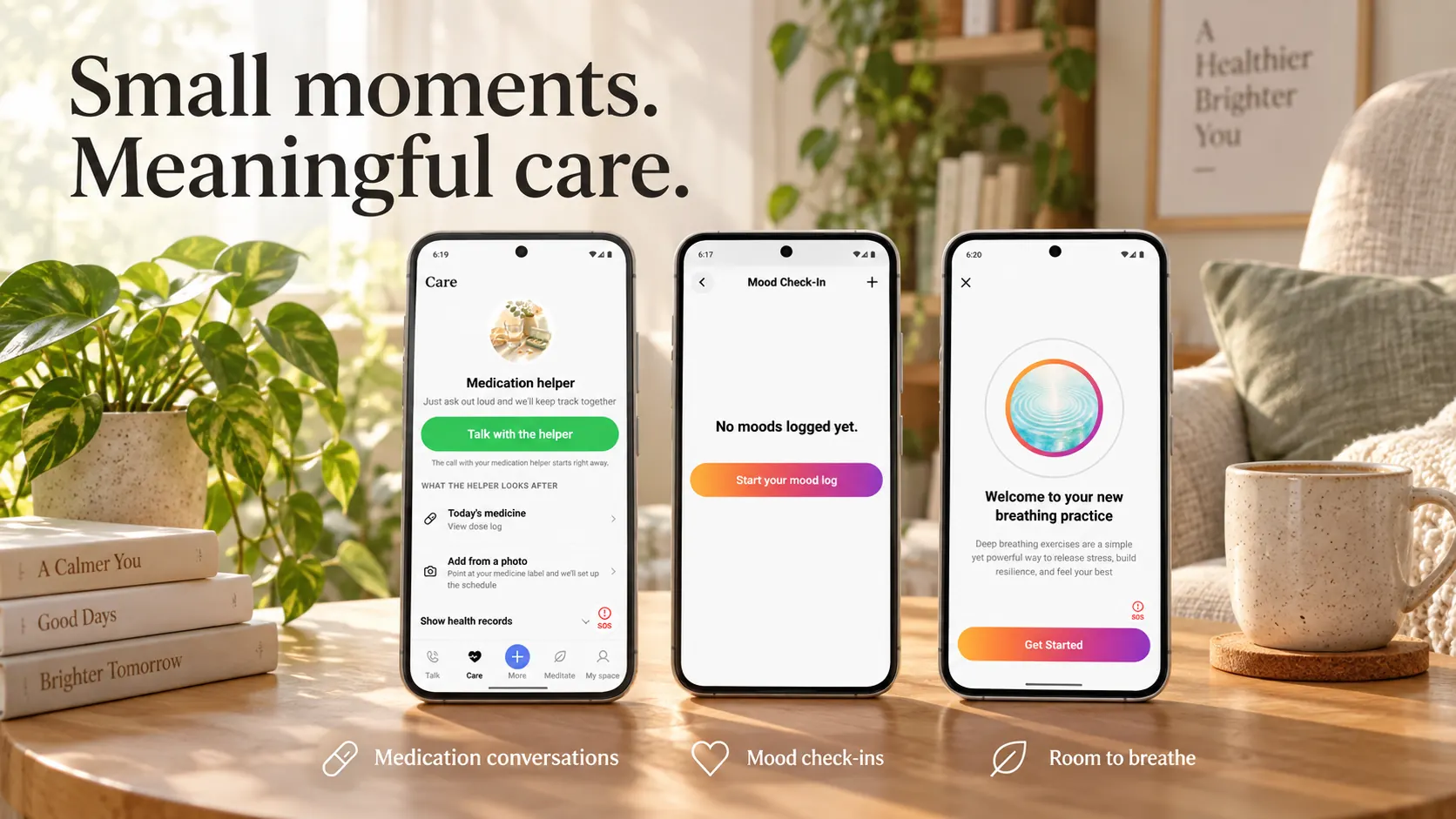
  • The medication helper — today's doses and a records preview
  • The Records tab — mood, gratitude, sleep and call logs
  • The Breathing tab — six breath patterns
  • The painting feature — choosing an art style
  • The profile dashboard — streaks and stats
  • Settings — notifications, language, appearance

One pipeline. Every surface it reaches. Browser and mobile are live today; telephony is built but key-gated.

Browser voice

WelVoice runs a full realtime voice session in the browser over WebRTC — no install, and the same pipeline, processors, and flags the mobile app runs against.

See the call flow
welvoice.local/call
StateOn a call

Member

Member #1042 · redacted

Transport
WebRTC
Install
None
Language
Korean
Start a call

Mobile voice

The native mobile app runs the same realtime voice stack, so a change to turn-taking or failover lands on both surfaces instead of only one of them.

See the surfaces

WelVoice

State

On a call

Duration

12m 04s

Call history

  • Recurring check-in

    Today · Browser

  • Follow-up call

    Yesterday · Mobile

  • Recurring check-in

    Last week · Mobile

Telephony (key-gated)

The telephony transport is built but key-gated. It is not handling production phone calls today, and it is listed here as built, not as shipped.

See what is built

Telephony transport

Key-gated
Implementation
Built
Gate
Key
Shipped
No

It is not handling production phone calls today.

Status

One voice pipeline behind both surfaces

Turn-taking, inline processing, degradation paths, and transports — the layer the browser and the mobile app share.

Turn-taking, tuned for Korean speech

How one turn hands over

  • Agent · Hello — just calling to check in with you today.
  • Member · 네…Backchannel — not a turn
  • Member · I'm doing all right today.
Turn stop
Voice activity detection
Greeting
Pre-synthesized

Voice-activity stop. Voice activity detection ends a turn on a short threshold — short enough to feel responsive, long enough to survive a normal Korean pause.

Backchannel handling. 네, 음, and other listening noises are treated as backchannel rather than a new turn, so the pipeline keeps listening instead of cutting the speaker off.

Pre-synthesized greetings. The opening line is synthesized at startup and held ready, so the first thing a caller hears does not wait on a model round-trip when the call connects.

Inline processors, in a single pass

Every turn runs through the custom processors in a single pass — PII redaction, output guardrails, risk scoring, diarization, and Korean text normalization among them. They run inline rather than as a post-call batch, so what reaches the care-operations layer is already redacted, scored, and attributed.

Degrade over crash. Every time.

Feature flags let the pipeline downgrade gracefully instead of dropping the call. If a synthesis vendor stalls mid-call, the pipeline fails over to another one and stays there. If a tool call runs long, Korean filler audio covers the gap instead of dead air.

Orchestration, not ownership

IntuneLabs does not train its own speech or language models. It orchestrates best-of-breed vendor models and builds the layer around them — Korean tuning, turn-taking, failover, guardrails, and the per-call instrumentation that says what a call actually did. That layer is the product.

The size of the build, counted in the repository. Measured against the actual repository, not a roadmap.

30+

voice-pipeline processors built in-house

100+

feature flags

450+

operator-console components

34

care and consumer backend domain modules

Every figure is counted in the repository — repository audit, August 2026.

What runs in the apps today, and what does not

Calling

  • Realtime browser voice (WebRTC)
  • Native mobile voice (iOS and Android)
  • Start in the browser with no install
  • Telephony transportKey-gated*
  • One pipeline shared across surfaces

Conversation

  • Korean turn-taking
  • Backchannel handling
  • Pre-synthesized greetings
  • Korean text normalization
  • Korean filler audio

Processing

  • PII redaction (inline)
  • Output guardrails
  • Conversational risk scoring
  • Diarization
  • During the call — not a post-call batch

Reliability

  • Flag-driven degradation
  • Sticky TTS failover
  • Vendor-model orchestration
  • Per-call instrumentation
  • One human gate

* The telephony transport is built but key-gated, and is not handling production phone calls today.

What a call did. Measured, not guessed.

  • Time to first audio, per call. Time-to-first-audio is recorded for every call, so the number operations reads is what that call actually did — not a benchmark figure, and not an average that hides the slow ones.

    See the instrumentation
  • Time to first byte, per call. Time-to-first-byte is recorded alongside it, which separates a slow model response from a slow pipeline. Both are captured per call, so a regression has somewhere specific to point.

    See the instrumentation
  • The turn threshold. Voice activity detection ends a turn, with backchannel handling layered on top so a listening 네 does not count as the caller handing their turn back.

    See the conversation layer
  • Inline processors. Redaction, guardrails, risk scoring, diarization, and Korean normalization run in one pass over each turn rather than as separate post-processing stages.

    See the processing
  • Feature flags. Degrade over crash: feature flags let the pipeline downgrade gracefully instead of dropping the call. Each flag is a component that can be turned down without taking the rest of the call with it.

    See the reliability layer
  • Sticky failover, mid-call. If a synthesis vendor degrades during a call, the pipeline moves to another vendor and stays there for the remainder of that call rather than switching back and forth.

    See the reliability layer

Frequently asked questions What is live today, stated plainly.

Do I have to install an app to take a call?

No. WelVoice runs a full realtime voice session in the browser over WebRTC — no install, and the same pipeline, processors, and flags the mobile app runs against.

The native mobile app runs the same realtime voice stack, so a change to turn-taking or failover lands on both surfaces instead of only one of them.

Can it take an ordinary phone call?

Not yet. The telephony transport is built but key-gated. It is not handling production phone calls today, and it is listed here as built, not as shipped.

Did you build the speech and language models yourselves?

No. IntuneLabs does not train its own speech or language models. It orchestrates best-of-breed vendor models and builds the layer around them — Korean tuning, turn-taking, failover, guardrails, and the per-call instrumentation that says what a call actually did.

Speech and language models come from outside vendors, selected per role. IntuneLabs does not claim to have trained them, and does not depend on any single one.

What happens to what is said on a call?

PII redaction runs as one of the inline processors, so identifiers are stripped during the call rather than cleaned up afterwards by a batch job over stored transcripts.

IntuneLabs holds no security or privacy certification, and this page claims none. Where a control exists it is described as what it does, not as an audited standard.

Explore further

A Korean-first voice pipeline. Built to degrade, measured per call.

WelVoice is built by IntuneLabs on best-of-breed vendor models, with the Korean tuning, orchestration, and reliability layer built in-house — and one human gate before anything reaches production.

What is live, first

The current implementation state and what is open, written as it is.

See what is built

Every app screen on this page is an example. It shows no captured media, no customer, and no real care setting, and member rows are masked identifiers.

The telephony transport is built but key-gated. It is not carrying production phone calls today, and nothing here should be read as saying otherwise.

IntuneLabs holds no security or privacy certification, and this page claims none. Per-call timings are captured for operations; they are not published benchmarks.