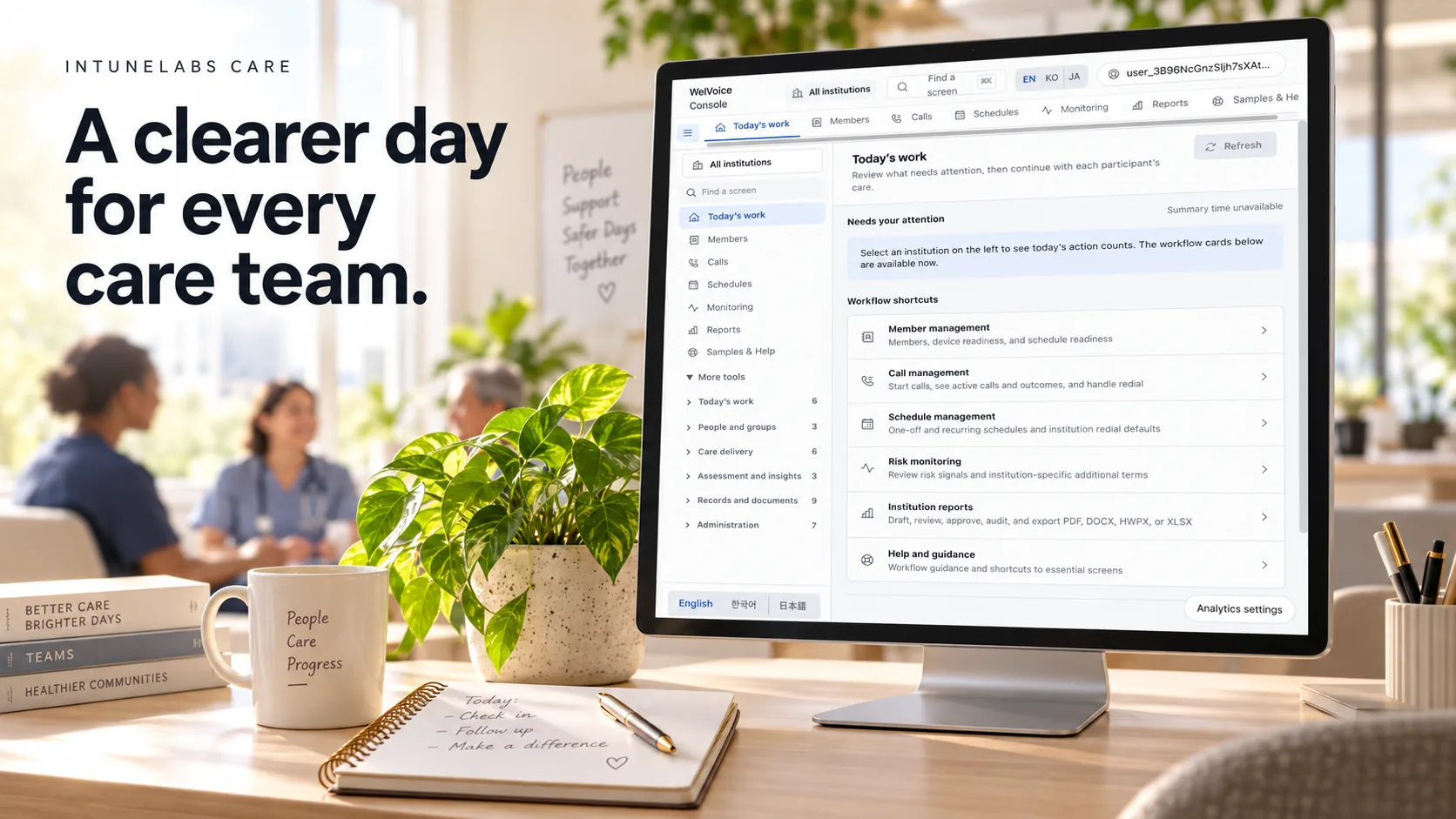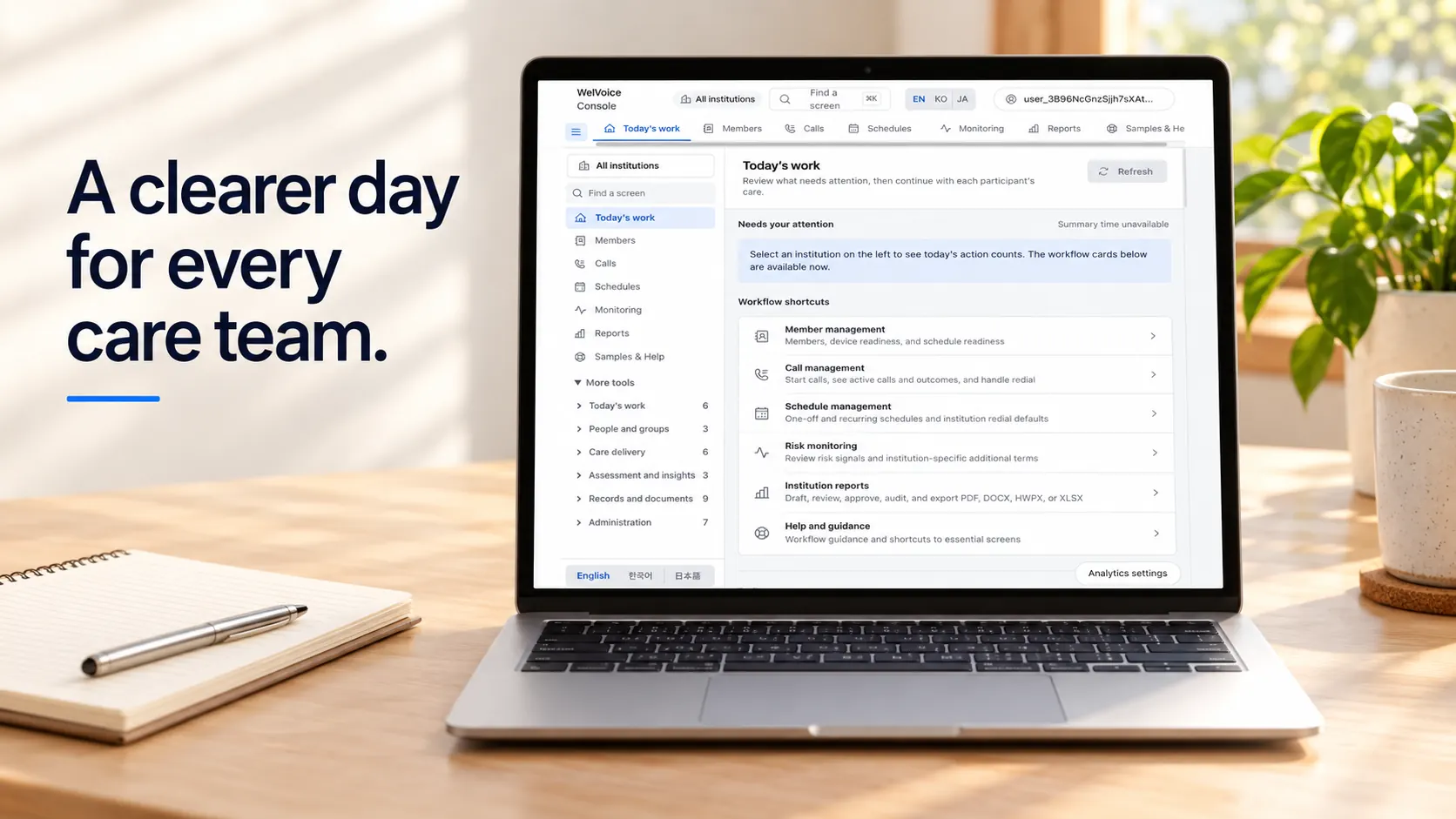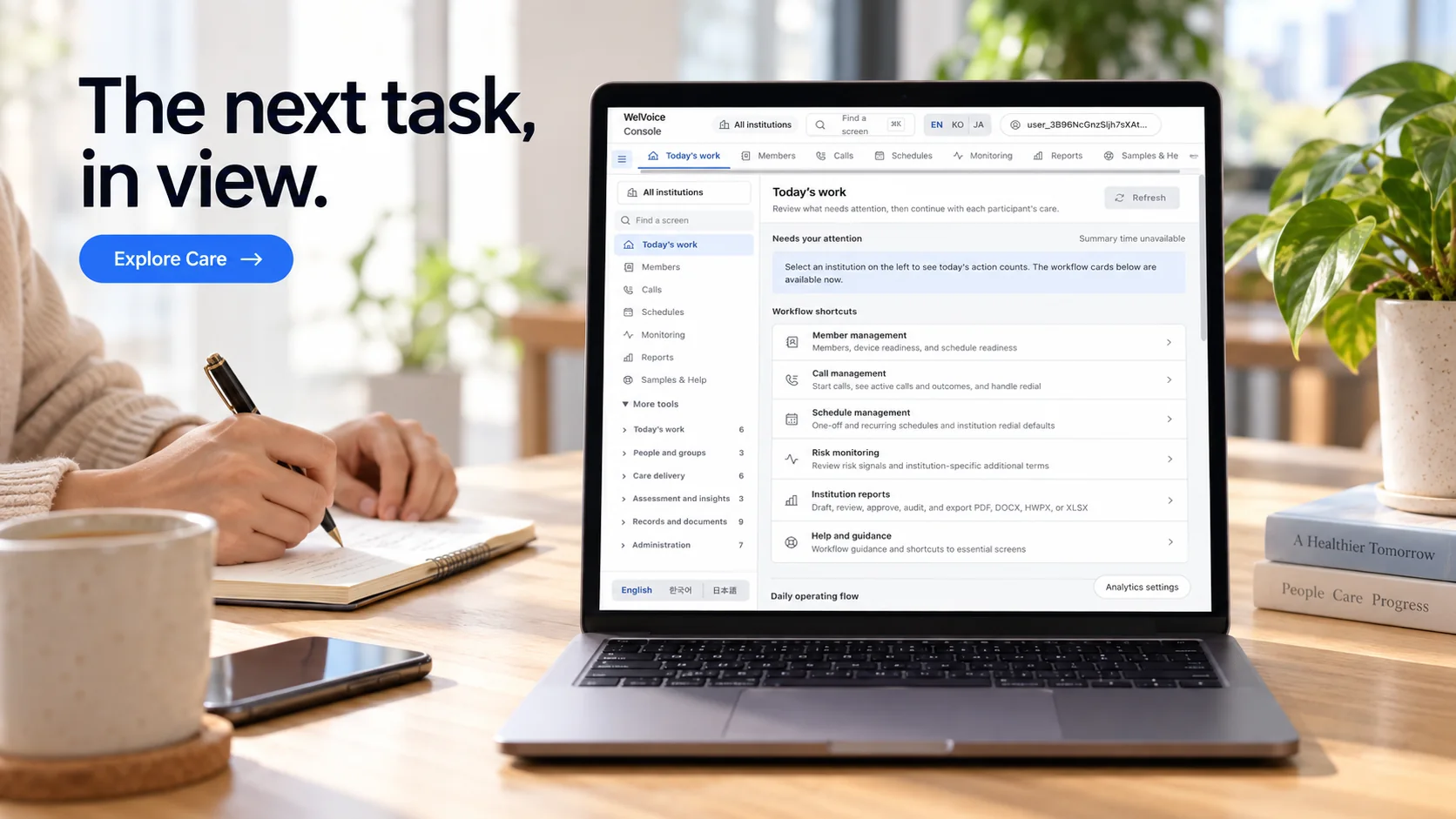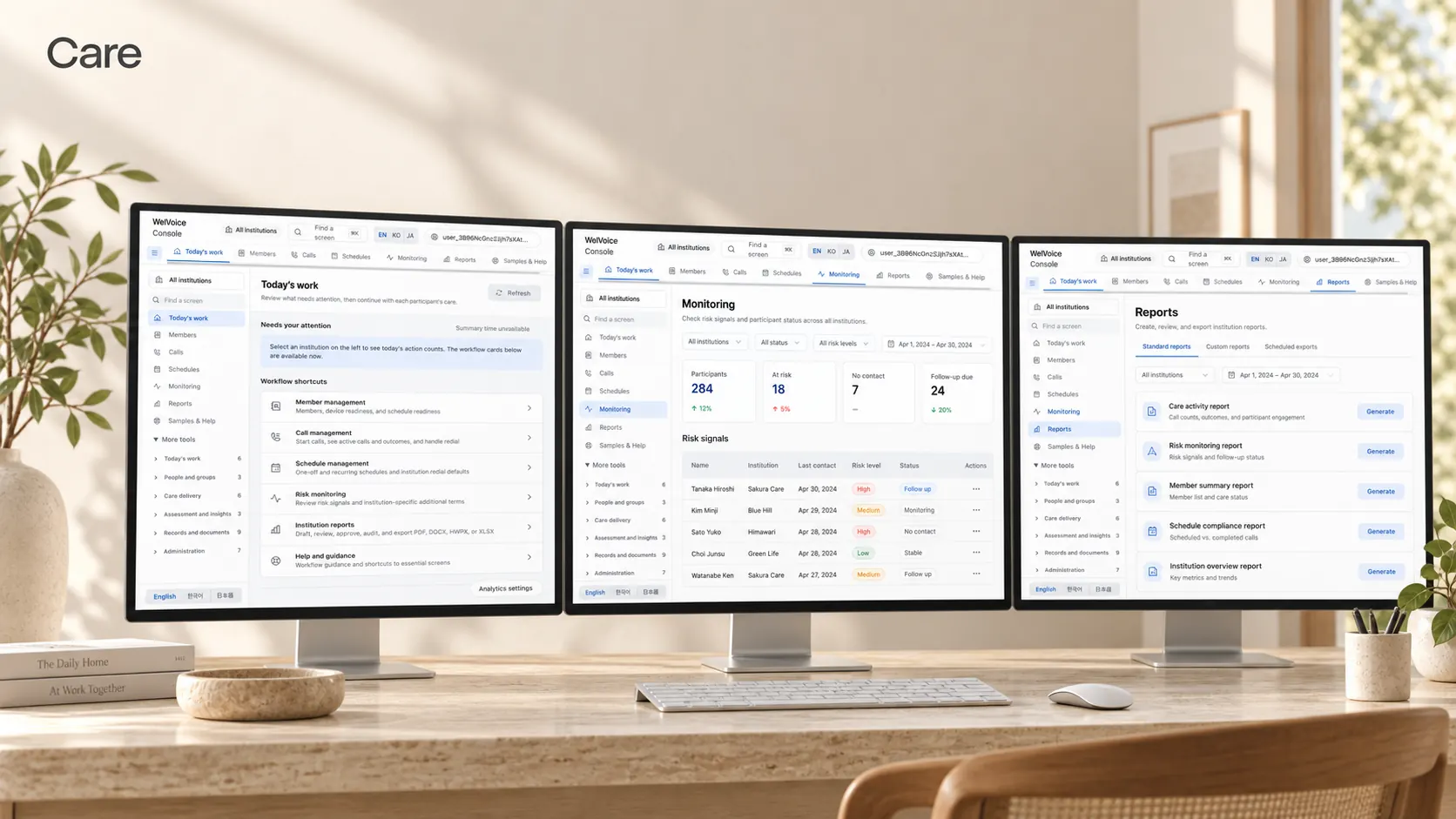
The care work after the call, in one flow.

Schedules, records, and notifications run on domain modules — the care and manager apps have complete UI with backend integration in progress.

Care organizationKRKorean call

For

Member #1042 · redacted

Recurring check-in
Weekly
12m 04s
Transcript
Redacted
Conversational risk signal
Scored during the call
Follow-ups
1
Record handed to the console

The care and manager apps have complete UI with backend integration in progress. Every screen on this page is an example over mock data, and none of it means a service running in production.

SchedulesCall recordsMember recordsFollow-upsNotificationsDomain modulesOperator console

Care

Care work runs on conversation.

IntuneLabs builds Korean-first realtime voice agents that hold a check-in in natural Korean — in the browser or in a mobile app — and an operator console where your team reads back what was said afterward.

When the call ends, the rest of the work begins — when the next call goes out, what belongs in the record, and who needs to hear about it. The care-operations layer is the domain modules for that work, and its UI is complete today while backend integration is in progress.

Where the call lands

A care call reaches someone where they live, not at a desk.

Two seats facing each other across a low table

The way two people talk sitting down.

A quiet living room in daylight

In a familiar room, at an ordinary pace.

A phone lying face down on a table

And what stays behind once it ends.

It becomes a record

When the call ends, its record and follow-up land in the console. The care and manager apps have complete UI with backend integration in progress.

What is built, and what is not yet

The current implementation state and what is open, written as it is — browser and mobile voice are live, telephony is built but key-gated, and the care and manager apps have complete UI with backend integration in progress.

See the roadmap

Implementation state

Built versus shipped

Use cases

Shaped around the work care teams already do.

Route recurring calls into operations

A care organization routes regular check-in calls into its operations and handles call records and follow-ups from a single screen. The console is live; the care modules behind it have complete UI with backend integration in progress.

Read the docs

Reach the same stack from a distance

A family reaches the same call stack from the browser and the mobile app. The browser needs no install to start, and the mobile app runs the same realtime voice stack.

See the apps

Close out the work after the call

An operations team closes out the work after the call in the console — where the redacted transcript, the conversational risk signal, and the per-call timings are reviewed.

See the console

How it works

How one call becomes care work.

  1. The schedule starts the call

    A recurring call schedule builds the queue, and that call starts in the browser or in the mobile app.

  2. Processing finishes during the call

    PII redaction, output guardrails, and the conversational risk signal are already done while the call is happening — not in a batch afterwards.

  3. The record hands off to the console

    The redacted transcript and the per-call timings land in the console, and the follow-up is assigned to an owner.

  4. Notification opens the next thing

    The follow-up and the next call reach their owner. The modules for this step have complete UI with backend integration in progress.

Step 1

It runs on care domain modules.

Schedules, call records, member records, follow-ups, and notifications are not separately built screens: they sit on domain modules spanning care and consumer verticals. What changes in one changes everywhere it is consumed.

Read the docs

Works with

  • Browser calling (WebRTC)
  • Mobile apps (iOS and Android)
  • Operator console
  • Live transcripts
  • Call records
  • Telephony (key-gated)

Configure without code

Call types, frequency, and owner assignment are configured in the console. Below is an example screen over mock data.

Care organization

Recurring check-in · Weekly

Call setup

Auto-schedule
  • Recurring check-inWeekly12m
  • Follow-up callAs needed07m
  • Retry after no answerOnce05m

Add a call type

Configure with code

The same configuration is available in code. Below is an example over mock data.

care/schedule.ts
const plan = care.schedule({  member: "member_1042",  frequency: "weekly",  window: { day: "thu", at: "10:00" },  transport: "webrtc",});// When the call ends, the redacted record and its follow-ups remain.plan.onComplete(async (call) => {  await records.append(call.redacted);  await followUps.assign(call.followUps, "care_team");});

Example code. It carries no real credential and no real endpoint.

Where this stands

The care and manager apps have complete UI with backend integration in progress. Everything that reaches production passes one human gate.

Step 2

The schedule builds the call queue.

Frequency and time window are set per group, and that schedule builds each day's call queue. The table below is an example over mock data.

See what is built

Example data

Every value in the table is mock. It shows no real member, no real organization, and no real care setting.

An example schedule table assembled from mock data.
GroupFrequencyCallsWindowStatusColumns
Group AWeekly2410:00Active
Group BTwice weekly4814:00Active
Group CBiweekly1211:00Awaiting review
Group DMonthly0616:00Paused
Group EWeekly1809:00Active

Step 3

What the record keeps, and what it does not.

When the call ends, the redacted transcript and the per-call timings remain. Personal identifiers are stripped during the call rather than cleaned up afterwards by a batch job over stored transcripts.

Record display

The same call record reads differently depending on who is looking. Below is an example over mock data.

Call record

Record #2026-0814-1042

Transport
WebRTC
Language
Korean
Duration
12m 04s
Recurring check-in
Recurring check-in
Conversation
Redacted transcript
Conversational risk signal
None
State
Complete

Handoff to the console

The record and its follow-ups hand off to the console with an owner and a due date attached. Below is an example over mock data.

Care organization

For

Member #1042 · redacted

Recurring check-in
Thursday at 10:00
12m 04s
Transcript
Redacted
Conversational risk signalA conversational-safety signal, not a clinical judgement.
Follow-up suggested
State
1 follow-up

Step 4

Notification opens the next thing.

The follow-up and the next call reach their owner. The modules for this step have complete UI with backend integration in progress.

Delivery

  • Console notification
  • Daily digest
  • Assignment notice
  • Escalation notice

Triggers

  • A follow-up is created
  • A due date passes
  • A call goes unanswered
  • A schedule changes

Notification rules

Which event reaches whom, and when, is set per group. Below is an example over mock data.

care-followups-sample.csv

An example export table assembled from mock data.
DateGroupTypeCallsFollow-ups
08-14Group ARecurring243
08-14Group BRecurring485
08-13Group CBiweekly121
08-13Group ERecurring182

Daily digest

One page for the day's calls and follow-ups. Every value below is mock.

Daily digest (example)

Calls
102
Complete
96
Follow-ups
11
No answer
6
Awaiting review
4
Escalated
1
Schedule changes
2

What is built

The size of the build, counted in the repository.

30+

voice-pipeline processors built in-house

100+

feature flags

450+

operator-console components

34

care and consumer backend domain modules

Every figure is counted in the repository — repository audit, August 2026.

Feature list

What the care-operations layer includes.

Schedules

Frequency and time window are set per group, and that schedule builds the call queue.

  • Call frequency
  • Time windows
  • Group assignment
  • Retry after no answer
  • Schedule change history

Records

The redacted transcript and per-call timings remain, and display varies by who is looking.

  • Redacted transcripts
  • Per-call timings
  • Conversational risk signal
  • Diarization
  • Display by access level

Follow-ups

A follow-up that came out of a call lands in the console with an owner and a due date.

  • Owner assignment
  • Due dates
  • Escalation
  • Handling state
  • Notes

Notifications

Which event reaches whom, and when, is set per group.

  • Console notifications
  • Daily digest
  • Assignment notices
  • Escalation notices
  • Export

Domain modules

Domain modules spanning care and consumer verticals.

  • Members
  • Households
  • Care teams
  • Owners
  • Permissions
  • Schedules
  • Call queue
  • Call sessions
  • Transcripts
  • Call records
  • Member records
  • Follow-ups
  • Escalations
  • Notes
  • Notifications
  • Daily digest
  • Exports
  • Audit log
  • Consent
  • Redaction policy
  • Conversational risk signal
  • Diarization
  • Timings
  • Feature flags
  • Transports
  • Voice profiles
  • Greetings
  • Filler audio
  • Failover
  • Request log
  • API keys
  • Webhooks
  • Usage
  • Release gate

The 34 domain modules are counted in the repository audit of August 2026. A module existing is not the same as that module running in production — the care and manager apps have complete UI with backend integration in progress.

Read the docs

How we engage

Scoped and priced on its own terms.

Nothing ships to production on its own, and every deployment is scoped and priced on its own terms.

Pilot

A pilot first, and production only after that pilot has run. Scope and duration are set per deployment.

Contact us

Scoped per deployment

set by scope and duration

Contact us

Production

Production scope is set after the pilot has run. Everything that reaches production passes a human gate.

Contact us

Scoped per deployment

set by what the pilot showed

Contact us

One human gate

Everything that reaches production passes a human gate — a person on our side reviews and releases it.

Where would you like to start?

You can start from how the care-operations layer is put together, or from what actually runs today.

See the operator console

Where call records, transcripts, and follow-ups are handled on one screen.

See the console

Set up for a care team

Recurring calls and the work after them, tuned to how the work is actually done.

Read more

Every screen and table on this page is an example over mock data. The care and manager apps have complete UI with backend integration in progress; none of this means a service running in production. IntuneLabs makes no health measurement and no clinical claim, and holds no security or privacy certification.