Simcheong (심청이) member support
Frequently asked questions
The questions Simcheong members ask most often. If you need anything else, email or call us below.
How do I join?
Simcheong is invitation-only. Enter the participation code from your institution (such as your welfare center) and the email address you were invited with in the app. Once your institution approves you, you can start using it. Simcheong is for adults aged 18 and over. If you do not have a participation code, ask your institution.
How do I sign in?
Enter the email address you were invited with and request a code; a 6-digit sign-in code is sent to that address. Enter the code to sign in. You can also sign in with "Continue with Google", and on an iPhone with "Continue with Apple".
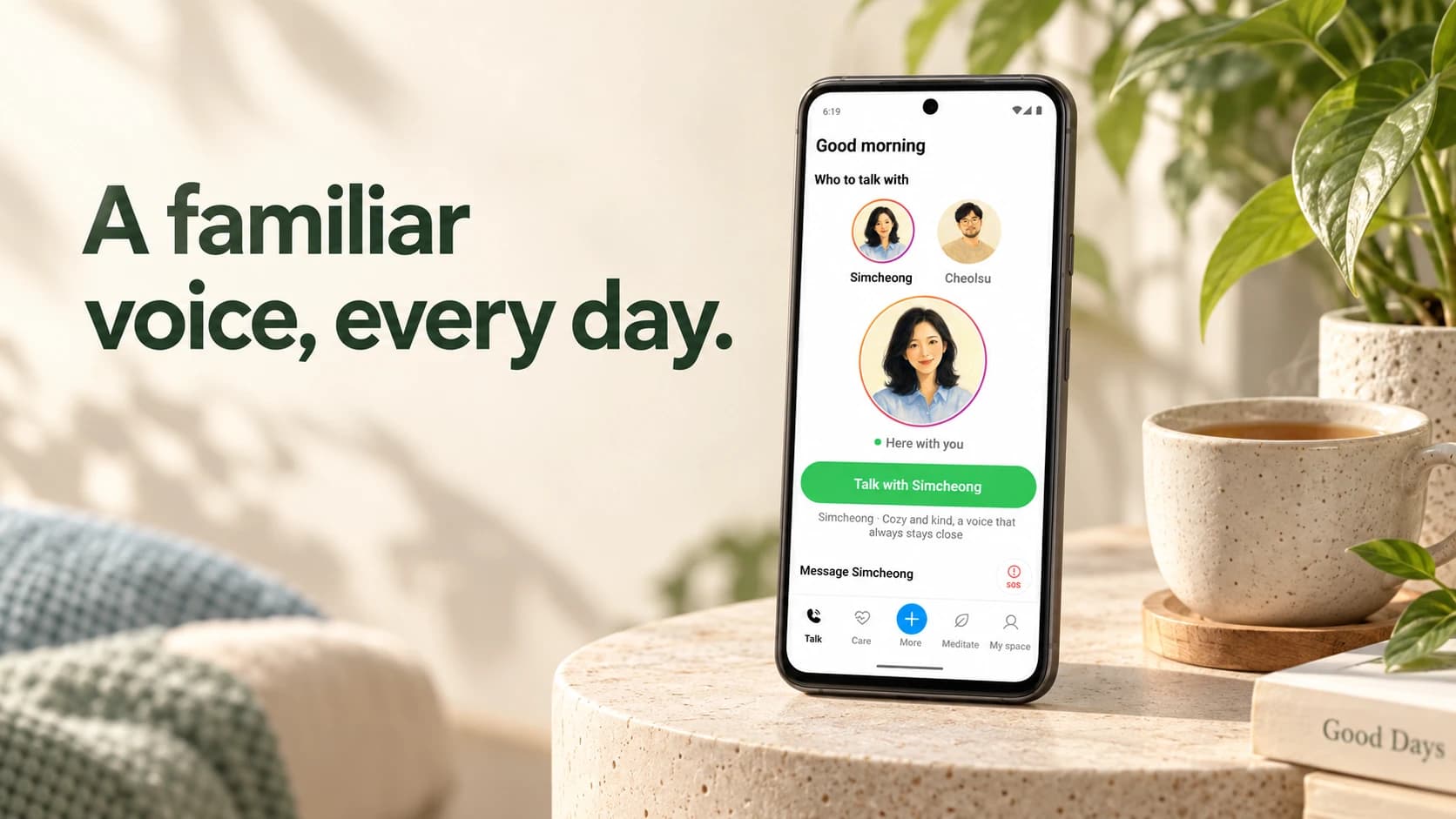
How do I talk with Simcheong or Cheolsu (철수)?
In the app you can call Simcheong or Cheolsu and talk by voice, or chat in writing. If your institution sets times for check-in calls, a check-in call comes to the app at those times. Simcheong and Cheolsu are AI, not people.
Does it cost anything?
No. The Simcheong app is free, and there is nothing to buy or subscribe to in the app. If paid features are ever added, we will tell you in advance and ask for your agreement.
Are my calls recorded?
Only if you agreed to the optional "Call voice recording and storage". If you do not agree, calls and every feature work the same. Recordings are deleted automatically after 90 days. If you turn off "Store voice recordings" under My space › Sharing & consent, or delete your account, stored recordings are deleted too. Recordings are deleted through our calling provider, so it may take a little time to finish.
Can my institution see my information?
Within the consent you give separately, institution staff can see your call records, conversation text and summaries, mood and medication records, and crisis-related alerts, to check on you. If you agreed to recording, they can also play recordings. The app asks for this consent apart from the others. Simcheong runs together with your institution, so it cannot be used without it. Staff do not watch every conversation live.
What if the AI gives a strange or upsetting reply?
In a chat, tap "Report" on that reply. After a call, tap "Report a problem" in your call history. You can choose what the problem was and add a note if you like.
How do I delete my account?
Tap "My space" at the bottom of the app, then "Delete account" at the bottom of the screen. Your account is deleted straight away, and a deleted account and its data cannot be restored. If you cannot use the app, email or call us; after verifying your identity we delete it within 10 days.
Can I ask about my health or my medicines?
You can, but Simcheong's replies and medication guidance are for reference only. They do not replace a doctor's examination or a pharmacist's advice, and Simcheong does not suggest changing a medicine or taking a new one. If you feel unwell or want to change a medicine, ask your doctor or pharmacist. In an emergency, do not wait for the app — call 119 or 112 straight away.
Where can I get more help?
Email support@intunelabs.ai or call +82-42-823-5557. We can help with using the app, deleting your account, and requests to access, correct or delete your personal information.
Still have a question?
Email or call us.
- Phone
- 042-823-5557
In an emergency, do not wait for the app or an email — call 119, 112 or another emergency service straight away.